

8 min read
.png)
Running a mid-sized Ohio county isn't for the faint of heart.
You're tracking departmental budgets while fielding calls from grant managers. You're processing payroll for hundreds of employees while someone's asking why their vacation balance looks wrong. You're managing water accounts while customers complain about bills they don't understand.
Meet Guernsey County.
Their finance team tracks departmental budgets and grants. Their payroll department processes timesheets and benefits for county employees. Their water department manages thousands of customer accounts and tries not to lose their minds when billing season hits.
They're not some giant metropolitan powerhouse with unlimited budgets and a team of IT wizards. They're a mid-sized county in eastern Ohio with about 40,000 residents.
They have good people. Smart people. People who showed up every day and did their best with the tools they had. And until recently, they were drowning in paper, spreadsheets, and outdated processes.
When Paper Becomes the Enemy
Here's what life looked like in Guernsey County before the switch:
-
Their purchasing process was entirely paper-driven. Requisitions and POs got printed, routed, signed, filed, and lost. (Usually in that order.)
-
Departments were tracking their own budgets in separate spreadsheets because they couldn't see their funds in real time.
-
Grants were tracked by individual departments instead of centrally. Nobody had a complete picture of where grant money actually stood.
-
Time entry came in on paper or through manual reports that staff had to manipulate. (And by "manipulate," we mean "copy and paste until fingers fall off.")
-
Paystubs and W-2s went out on paper or via email.
-
Time off was tracked in Excel (separately by each department, naturally) because consistency is overrated.
-
And reporting? Every payroll report required hours of manual manipulation and data wrangling.
Over in the water department, things weren't much better.
-
They tracked backflow devices in Excel.
-
Delinquency notices, disconnect orders, and certifications were all done by hand.
-
Payment plans were manually entered and tracked.
-
Customers couldn't see itemized bills online, so they called to complain about charges they didn't understand.
The staff spent half their day explaining bills instead of, you know, serving their community.
What Makes a Good Process?
Before we get to the rescue story, let's define what "good process" actually means.
A good process is about making your job easier so you can focus on serving your community.
A good process is efficient. It doesn't waste time on tasks a computer should handle.
A good process is centralized. Everyone works from the same data source instead of maintaining seventeen versions of "2025_Budget_Final_version_6.xlsx" scattered across shared drives.
A good process is transparent. Department heads can see their budgets without calling you. You can pull reports without sacrificing a lunch break.
A good process is automated. Routine tasks happen without manual intervention. Your staff should be analyzing data and solving problems, not entering it cell by cell.
And a good process is accurate. Fewer hands touching data means fewer errors. Which means fewer awkward conversations with auditors and fewer 2 AM panic attacks about whether you transposed a number somewhere.
How Guernsey County Made It Happen
Guernsey County recognized that their processes were holding them back.
The finance team was drowning in data entry. The payroll staff was buried in paper. The water department was fielding complaint calls about bills customers couldn't understand. And everyone was tired.
So they started looking for something built specifically for local government. Software that understands fund accounting and compliance rules and utility billing necessities.
And they needed budget tools that would make budget season slightly less miserable.
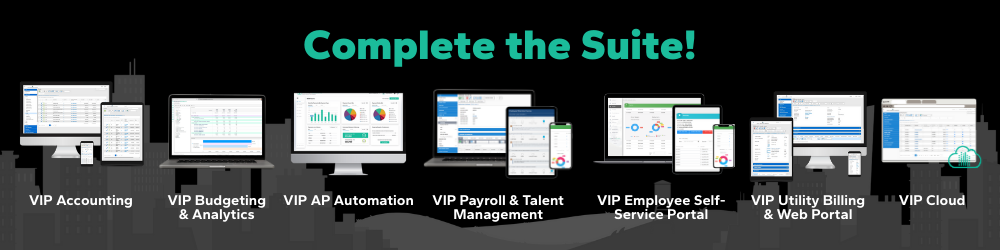
That's when they found us. Now, Guernsey County uses:
VIP Accounting with Treasury Management and Departmental Purchasing:
-
Departments can see their budgets in real time.
-
Grant-tracking is centralized and transparent.
-
The finance director can actually answer questions without three hours of spreadsheet archaeology.
-
Employees submit time electronically.
-
Eliminated paper timesheets entirely
-
Reports generate automatically.
-
The payroll team now focuses on strategic HR work instead of fighting with Excel.
-
Employees access their information 24/7.
-
Puts pay stubs and W-2s online.
-
No more printing hundreds of forms.
-
No more "I lost my W-2" conversations in mid-February.
VIP Analytics with Excel Publisher, Scheduler, and Personnel Budgeting:
-
The finance team can model scenarios and publish reports without building spreadsheets from scratch every single time.
-
Automated backflow tracking, delinquency processing, and payment plans.
-
Customers can see itemized bills online. They understand what they're paying for. And the complaint calls dropped significantly.
And because it all integrates together, data flows between systems automatically.
Not Ready for an Update Yet?
Maybe you're not ready to switch systems. Budget approvals take time. Change is scary. Your current vendor has you locked into a contract that expires in 2027.
You can still improve your processes today.
Start by identifying your biggest pain point. Is it budget visibility? Payroll reporting? Utility billing complaints? Pick one thing and focus there first.
Document your current process. Write down every single step. You'll discover redundancies you didn't realize existed.
Ask your team what drives them crazy. They know exactly where the bottlenecks are. They're living with them every day. Buy them coffee. Listen to them. Actually implement some of their suggestions.
Look for quick wins. Can you create a shared spreadsheet for budget tracking so departments stop calling? Can you accept time-off requests via email instead of paper?
Set a timeline for bigger improvements. You might not be ready to switch software today. But you should know when you will be ready. And what you'll look for when that day comes.
Small changes add up.
Your Community Deserves Better (And So Do You)
Your residents don't care what software you use.
They care that their property taxes are calculated correctly. They care that potholes get filled. They care that someone answers the phone when they call with a question.
But you know what helps you do all of that? Good processes. Systems that work. Software that supports you instead of making your job harder.
Guernsey County figured it out. They looked at their paper-driven, spreadsheet-dependent, manually-manipulated reality and said, "We can't keep doing this."
So they made a change and became a hero for their community.
-
Their finance team now has real-time visibility into budgets.
-
Their payroll staff spends time on strategic work instead of data entry.
-
Their water department customers can self-serve online.
You can make the same change.
Managing a county is hard enough without fighting your own systems every single day. You deserve tools that make your job easier. Not a merit badge for surviving terrible software.
Your team deserves processes that don't waste their talent on manual busywork. And your community deserves the best service you can possibly provide.
Better processes lead to better service. And your community is counting on you to deliver both.
Ready to see how VIP can transform your county operations like it did for Guernsey? Let's talk.
Related Posts
How 3 Communities Improved Their Operations with VIP
Choosing new software is a big decision for any local government.
And we know most customer stories...
City of Nevada, MO Joins the SSI Family!
We’re excited to welcome the City of Nevada, MO to the SSI family! Located in southwest Missouri,...
How Village of Pioneer, OH Transformed Their Financial Operations
It's 8 a.m. You've got a payroll period crossing over into a new month. A stack of paper time slips...